
Serialization and Deserialization In Java
Serialization and deserialization are core concepts in Java that enable the conversion of objects to a byte stream and vice versa. These processes are essential for saving objects to files, sending them over networks, or caching them in memory. Understanding how serialization and deserialization work in Java is crucial for building distributed systems, persistent storage solutions, and more.
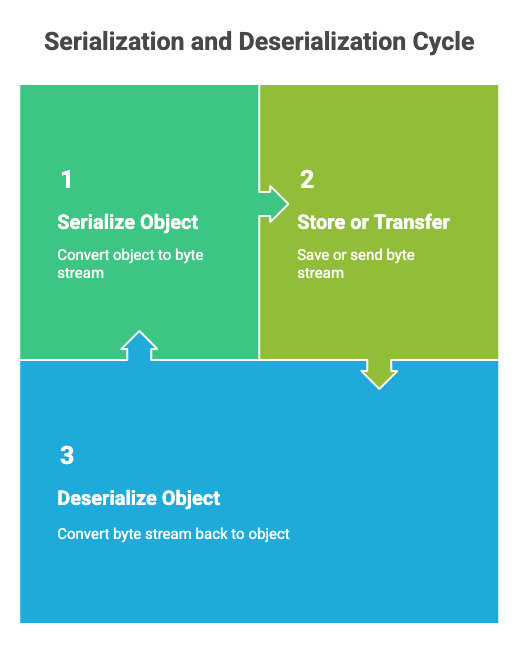
What is Serialization in Java?
Serialization is the process of converting a Java object into a byte stream. This byte stream can then be stored in a file, sent over a network, or saved in a database. The main purpose of serialization is to persist the state of an object so that it can be recreated later.
To make a class serializable in Java, it must implement the java.io.Serializable interface. This is a marker interface, meaning it does not contain any methods but signals to the Java Virtual Machine (JVM) that the class can be serialized.
Example: Serializing an Object
import java.io.FileOutputStream;
import java.io.ObjectOutputStream;
import java.io.Serializable;
class Student implements Serializable {
int id;
String name;
public Student(int id, String name) {
this.id= id;
this.name= name;
}
}
public class SerializeExample {
public static void main(String[] args) {
Student s1 = new Student(101, "Alice");
try (FileOutputStream fos = new FileOutputStream("student.ser");
ObjectOutputStream oos = new ObjectOutputStream(fos)) {
oos.writeObject(s1);
System.out.println("Object serialized successfully.");
} catch (Exceptione) {
e.printStackTrace();
}
}
}
What is Deserialization in Java?
Deserialization is the reverse process of serialization. It reconstructs a Java object from a byte stream. This allows you to retrieve the object’s state as it was when serialized.
Example: Deserializing an Object
import java.io.FileInputStream;
import java.io.ObjectInputStream;
public class DeserializeExample {
public static void main(String[] args) {
try (FileInputStream fis = new FileInputStream("student.ser");
ObjectInputStream ois = new ObjectInputStream(fis)) {
Student s = (Student) ois.readObject();
System.out.println("Object deserialized successfully.");
System.out.println("ID: "+s.id+", Name: "+s.name);
} catch (Exceptione) {
e.printStackTrace();
}
}
}
Key Points and Best Practices
- serialVersionUID: Always declare a
serialVersionUIDin your serializable classes. It is used to verify compatibility between the sender and receiver during deserialization. - Transient Keyword: Fields marked as
transientare not serialized. Use this for sensitive or temporary data. - Not Serializable Exception: If a class does not implement
Serializablebut you try to serialize it, aNotSerializableExceptionwill be thrown. - Inheritance: If a superclass implements
Serializable, its subclasses are also serializable.
Use Cases
- Persistence: Saving the state of objects to files or databases.
- Communication: Sending objects over a network in distributed applications.
- Caching: Storing objects in memory or disk for quick retrieval.